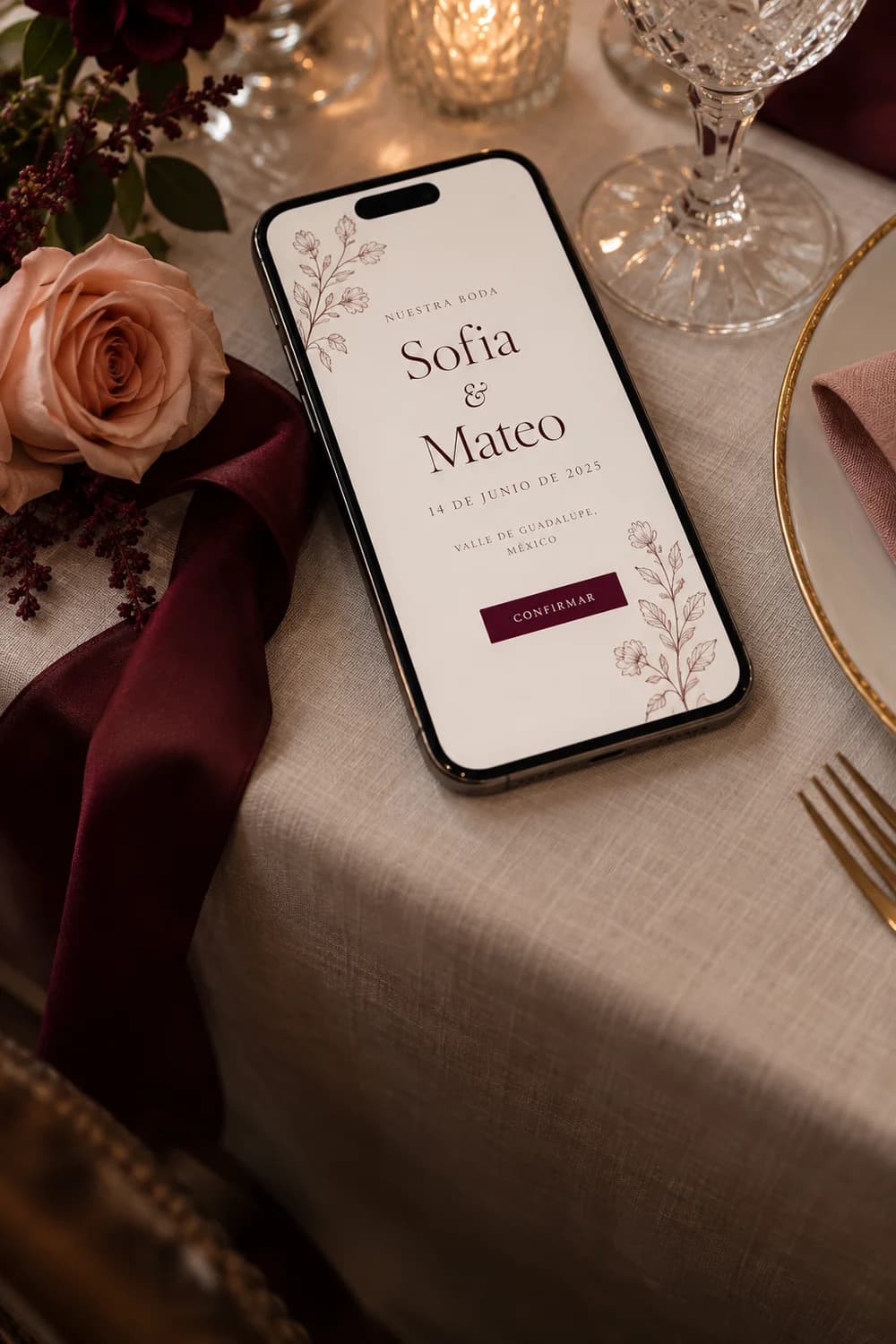
An invitation that feels like yours.
Add your photos, colors, and event details. Guests confirm their attendance without leaving the invitation.
INVITATIONS WITH ATTENDANCE CONFIRMATION
Share a personalized invitation. Guests tell you if they can attend, and you see every reply in one list.
Each guest gets a link and replies from the invitation. You can see who is coming and who has not replied.
Add your photos, colors, and event details. Guests confirm their attendance without leaving the invitation.
Choose how many people each guest can confirm. Their reply appears next to their name in your list.
They open the link and say whether they can attend. No app or account is needed.
Try the invitationReply as if you were a guest. Then see the sample list update.

WE’RE GETTING MARRIED
We’d love to share this day with you. Confirm your attendance and leave us a message.
Loading invitation…
Reply in the invitation to see this list update.
This is only a demo: your reply is not saved or sent.
HOW IT WORKS
Choose a design and add your event details and photos. You can preview changes before paying.
Make a one-time payment to publish the invitation. Then create a link for each guest and share it on WhatsApp.
Your private list shows who is coming, who is not, and who has not replied yet.
RSVP asks guests to say whether they can attend. With Invite, they reply from the invitation itself.
Yes. When you add a guest, you choose how many people they can include in their reply. For example, one guest can have one place and another can have two.
No. They open the invitation link on their phone or computer and reply there.
After publishing, add your guests and choose how many people each can confirm. Copy each personal link and send it through WhatsApp or any channel you prefer.
Your private guest list shows who is coming, who is not, and who has not replied. Guests cannot see that list.
Yes. Choose a design and try your text, photos, and event details before paying. When you like the result, make a one-time payment to publish it and collect replies.
Yes. They can leave a note with their reply, but it is optional.
No. Trying the example only changes the sample list shown here. It does not save or send real replies. Your guests' replies will be saved after you publish your invitation.
ATTENDANCE CONFIRMATION
Guests open their invitation and say whether they can attend. Invite saves each reply next to the guest's name, so you can check one list instead of searching through separate messages and forms.
The link shows their name and how many people they can confirm. You know who replied, without guessing whose answer it was.
They open the invitation, check the event details, and say whether they can attend. They do not need an account or an app.
Your list shows who is coming, who is not, and who has not replied. The list is not public, and guests cannot see it.
Here is what changes when guests reply directly from their invitation.
| Task | With Invite | Other methods |
|---|---|---|
| 01Know who replied | The reply appears next to the guest's name. | You must identify who sent the message or form. |
| 02Limit extra guests | You choose how many people each guest can confirm. | An open form may receive more people than planned. |
| 03Update event details | Guests see changes when they open their link. | You may need to send another message with the new details. |
| 04See who has not replied | Your list shows who is still pending. | You must compare messages or separate lists. |
| 05Reply to the invitation | Guests read and reply using the same link. | They may need another page or a chat message. |
The form stops accepting replies. Choose a deadline that leaves you time to check the list before giving vendors your final guest count.
Yes. You choose how many people each guest can confirm. For example, one guest can have one place and another can have two.
Yes. They can open their link again and send a new reply before the deadline. Your list will show the latest reply.
The main things are whether they can attend and how many people are coming within the limit you set. They can also leave an optional message.
Check who has not replied in your list. Then send those people a reminder using your preferred channel, such as WhatsApp.
Ask your venue and vendors when they need the final guest count. Set the reply deadline a few days earlier so you have time to check the answers.
Choose a design, learn how to publish it, and see how to share it through WhatsApp.
START WITH A DESIGN
New feature
Add a collaborator to a specific invitation. They can edit it and manage guests from their own account, without becoming the purchaser.
Your collaborator can update the invitation and its photographs.
Both can keep the guest list and attendance replies up to date.
Purchase, billing, and ownership information stay private to the purchaser.